A security system should match the property it protects. A small apartment, family home, retail shop, warehouse, and office building all have different security requirements. Installing cameras without considering access points, lighting, alarms, or monitoring can leave important gaps.
The right setup starts with assessing the property, identifying potential risks, and deciding how much control and monitoring are required. Technology is only one part of the decision. Placement, maintenance, ease of use, and future requirements also deserve attention.
Assess the Property Before Choosing Equipment
Walk around the property and identify areas that need attention. Start with doors, windows, gates, garages, side entrances, loading areas, and other points that could provide access. Outdoor areas may need different equipment from indoor spaces. A driveway might benefit from a camera with a wide viewing angle, while an entrance may require a device capable of capturing clear facial images. Poorly lit areas can also affect camera performance.
Property owners can explore reliable security systems to find suitable options for monitoring entrances, outdoor areas, and other vulnerable points around a property. The right equipment can help provide better visibility across areas that may otherwise be difficult to monitor.
Consider the property’s layout and daily activity. A business with employees entering throughout the day may need controlled access, while a residential property may place greater emphasis on perimeter monitoring and alarm alerts.
A basic site assessment can prevent unnecessary equipment purchases and reveal areas that might otherwise be overlooked.
See also: The Changing Role of Social Media in Everyday Life
Decide What You Need to Monitor
Security systems can include several types of equipment, each serving a different purpose.
Security cameras provide visual records and can help property owners check activity around entrances, parking areas, hallways, and other locations. Camera features vary considerably, so resolution, night vision, viewing angle, storage, and motion detection should be considered.
Intrusion alarms can detect unauthorized entry through doors, windows, motion sensors, or other detection devices. Depending on the system, alerts may be sent to a phone, monitoring centre, or designated contact.
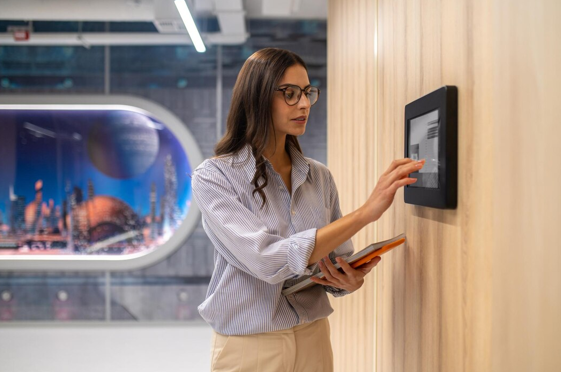
Access control systems regulate who can enter specific areas. Keypads, access cards, mobile credentials, and biometric readers can all be used depending on the property and security requirements.
Video doorbells and intercoms can be useful for homes, apartments, offices, and other properties where visitors need to be identified before access is granted.
Some properties require only one of these technologies, while others benefit from several working together.
Consider Wired and Wireless Options
The choice between wired and wireless equipment depends partly on the building and installation requirements.
Wired cameras and sensors generally provide a stable connection and can be suitable for larger properties or permanent installations. They may require more installation work, particularly where cables need to pass through walls, ceilings, or outdoor areas.
Wireless systems can offer greater flexibility during installation. They may be useful for rented properties, smaller buildings, or locations where extensive cabling would be difficult. However, wireless equipment depends on network connectivity and, in some cases, battery power.
Hybrid systems are another option. A property may use wired equipment in fixed locations while relying on wireless devices in areas where cabling is inconvenient.
Check Camera Quality and Storage
Camera specifications deserve careful attention because image quality can vary even among products with similar advertised resolutions.
Look at the camera’s performance in both daylight and darkness. Night vision, infrared capability, low-light performance, and dynamic range can affect the usefulness of recorded footage.
Storage is another consideration. Some systems store recordings locally on a recorder or memory device, while others use cloud storage. Local storage can provide direct control over footage, whereas cloud-based systems may allow authorised users to access recordings remotely.
Check how long footage can be retained and how easily it can be retrieved. A camera is less useful if finding a particular recording takes excessive time.
Privacy should also be considered, particularly for residential properties and workplaces. Camera angles should avoid unnecessary views into neighbouring properties or private areas.
Think About Alarm Notifications
An alarm needs to do more than make a noise. Consider how you want to be informed when an event occurs.
Some systems send mobile notifications when sensors detect movement, an opened door, smoke, or another predefined event. Others can connect to professional monitoring services that respond according to an agreed procedure.
Notification settings should be practical rather than excessive. A system that sends frequent false alarms may eventually cause users to ignore alerts.
Ask about battery backup as well. A power failure should not automatically leave the property without protection. Backup batteries can help keep essential components operating during an outage.
Review Access Control Requirements
Access control becomes particularly useful when different people need different levels of entry.
A home may only need a smart lock or video doorbell. An office could require individual credentials for employees, while a warehouse may need separate permissions for staff, contractors, and visitors.
Individual credentials can also make access easier to manage when someone leaves an organisation. Instead of replacing a shared key or changing a common code, administrators can deactivate the person’s access.
For businesses, check whether the system can produce access records. These records can help authorised personnel review when specific credentials were used.
Consider Remote Management
Remote access allows property owners or authorised staff to check cameras, receive notifications, arm or disarm certain systems, and manage access from a phone or computer.
This can be useful for people responsible for properties that are not occupied continuously. A business owner may want to check activity outside operating hours, while a homeowner may want notifications while away.
Security should not be overlooked simply because a system is connected to the internet. Strong passwords, multi-factor authentication where available, regular software updates, and restricted account access can reduce exposure to unauthorised access.
Set a Realistic Budget
The purchase price is only part of the cost. Installation, storage subscriptions, monitoring fees, replacement batteries, maintenance, and future equipment additions may also affect the total expense.
A lower-cost system may meet the needs of a small property, while a larger commercial site may require professional installation and ongoing monitoring.
Avoid selecting equipment solely because it has the longest feature list. A system with functions that are never used may add expense without providing meaningful value.
It is also useful to ask about warranties, technical support, replacement parts, and service arrangements before making a purchase.
Plan for Future Changes
Property requirements can change. A homeowner may add a garage or extension, while a business may expand into another part of a building.
Choose equipment and infrastructure that can accommodate reasonable future additions. This does not mean purchasing every available feature at the start. It means checking whether additional cameras, sensors, access points, or users can be added later.
Compatibility also matters. Equipment from different manufacturers does not always work together, so confirm compatibility before purchasing components separately.
Choose Installation and Maintenance Carefully
Correct installation can affect how well a security system performs. Cameras need suitable mounting positions, sensors need appropriate placement, and network equipment must be configured correctly.
Outdoor equipment should be suitable for the conditions in which it will operate. Exposure to rain, dust, heat, and cold can affect unsuitable devices.
Regular maintenance should include checking cameras, cleaning lenses, testing alarms, replacing batteries when required, reviewing user permissions, and installing software updates.
A security system should be treated as an ongoing property service rather than a product that can simply be installed and forgotten.
Make the Decision Based on the Property’s Actual Needs
Choosing a security system becomes easier after the property’s risks and daily requirements have been identified. Start with vulnerable access points, decide what needs to be monitored, determine how alerts should work, and consider who will manage the system.
The final setup may be relatively simple or involve cameras, alarms, access control, remote management, and professional monitoring. The right combination depends on the property, its occupants, its layout, and the level of security required.
Taking time to compare installation requirements, ongoing costs, storage, privacy, maintenance, and future expansion can help ensure that the system remains useful long after installation.